

JINA
APK 3.7.4b1419.2505100938Let's build community together and explore the coolest world of APK Games/Apps.
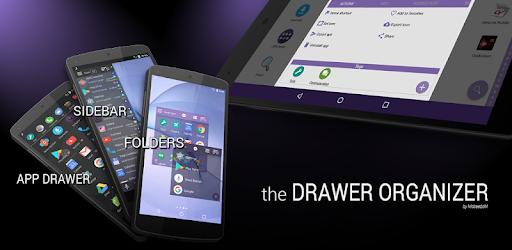
JINA APK is a smart Android app organizer that replaces the default app drawer with advanced search, dynamic folders, sidebar launching, and full app management for faster daily use.
Information
Turn App Chaos Into Perfect Order With JINA Drawer
Have you ever unlocked your phone, stared at dozens or even hundreds of apps, and felt like you were digging through a digital junk drawer? You know the app is there somewhere, but scrolling endlessly just kills your momentum. What if your app drawer actually worked for you instead of against you?
That is exactly where JINA APK comes in. This is not just another launcher or a cosmetic tweak. JINA is a powerful app organization tool designed for people who want speed, clarity, and total control over how they access apps on Android. Once you start using it, going back to a traditional app drawer feels painfully inefficient.
What Is JINA Drawer?
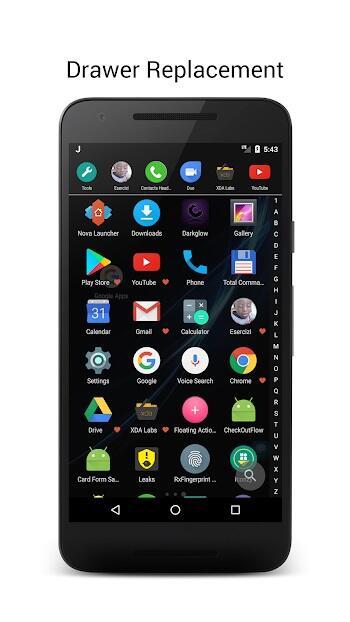
JINA Drawer is an advanced app organizer that replaces your default app drawer without touching your home screen layout. Instead of forcing you to change launchers, icons, or habits, it adapts to the way you already use your device.
At its core, JINA focuses on one mission: helping you find the right app at the right time, in the fastest way possible. Whether you prefer searching by name, browsing categories, launching from a sidebar, or grouping apps dynamically, JINA gives you the tools to do it your way.
Advertisement
This flexibility is why many Android power users consider jina android solutions like JINA essential rather than optional.
A Smarter Way To Use An App Drawer
Intelligent A–Z Letter Bar And Search
The first thing you notice when using JINA is how fast it feels. Instead of endless scrolling, you can jump directly to apps using a smart A–Z letter bar. Tap the first letter of the app name and you are instantly there.
Prefer typing? JINA supports full keyboard search, including T9-style input. Even better, you can search not only by app name but also by custom aliases you define yourself. That means you can rename confusing apps and still find them instantly later.
Favorites Always On Top
Some apps matter more than others. JINA lets you mark favorites so they always stay at the top of your list, no matter how you sort the rest. Your most-used tools are always within reach, saving you time every single day.
Sorting That Actually Makes Sense
Different situations call for different views. JINA allows you to sort apps by usage frequency, installation date, update date, size, name, or even manually. This flexibility makes it easy to spot rarely used apps, recently updated tools, or storage-heavy installs.
App Organization That Adapts To You
Automatic Categories And Personal Tags
JINA analyzes your installed apps and automatically groups them into logical categories. Social, tools, games, productivity, media, and more are neatly organized without you lifting a finger.
If you want more control, you can define your own tags or labels. These tags can be used to filter apps or power more advanced features like dynamic folders. This level of customization is what separates JINA from simpler solutions like jina drawer apk alternatives.
Hide, Rename, And Clean Up
Not every app deserves attention. JINA lets you hide unwanted apps, rename those with odd titles, or create aliases that make them easier to find later. Your app drawer becomes clean, intentional, and distraction-free.
Sidebar And Drawer Everywhere
Launch Apps Without Leaving Your Screen
Why should you have to return to the home screen just to open an app? JINA removes that limitation completely.
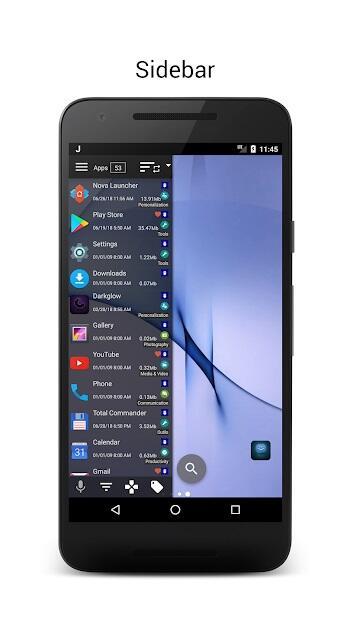
With the Sidebar feature, you can access apps and folders on top of any app you are currently using. Just swipe from the edge of the screen and your shortcuts appear instantly.
Customizable Hotspots
You decide where and how JINA appears. Drag hotspots to the sides of the screen, adjust their shape and color, and fine-tune their sensitivity. The result is an interface that feels invisible until you need it.
Dual Sidebars For Maximum Efficiency
Advanced users can enable two sidebars at the same time. One can be reserved for favorite apps and folders, while the other acts as a full app launcher with search and filtering capabilities. This setup turns multitasking into second nature.
Advertisement
Drawer Everywhere Mode
JINA also offers a swipe-up gesture that opens the app drawer from anywhere, not just the home screen. This small feature quickly becomes indispensable once you get used to it.
The Heart Of JINA: App Organizer
Dynamic Classification Engine
The App Organizer is the brain behind everything JINA does. It continuously analyzes your apps and keeps them classified according to multiple criteria. Categories, labels, tags, and search all run on this powerful engine.
Live Folders That Update Automatically
Instead of static folders, JINA introduces Live Folders. These folders update themselves based on rules you define. Add a new app that matches the criteria and it appears instantly, without manual sorting.
Live folders can contain apps, sub-folders, shortcuts, contacts, documents, and even web links. This makes them perfect for workflows rather than simple grouping.
Folder Organizer Without Limits
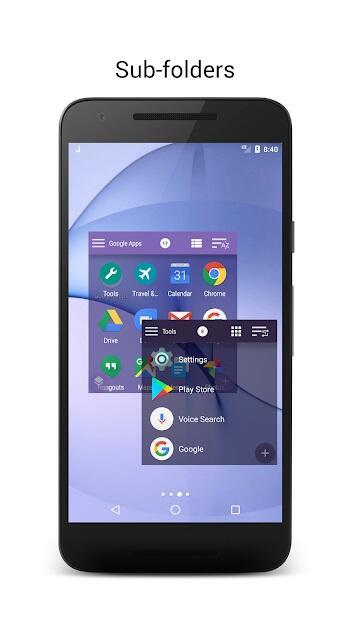
Folders in JINA are not confined to one place. You can place them on the home screen as widgets, inside the app drawer, or within the sidebar. This flexibility allows you to design an interface that fits your habits instead of forcing new ones.
Sub-folders are supported, so you can create deeply organized structures if you like, or keep things simple with a few smart collections.
Advanced App Manager Features
Full Control Over Installed Apps
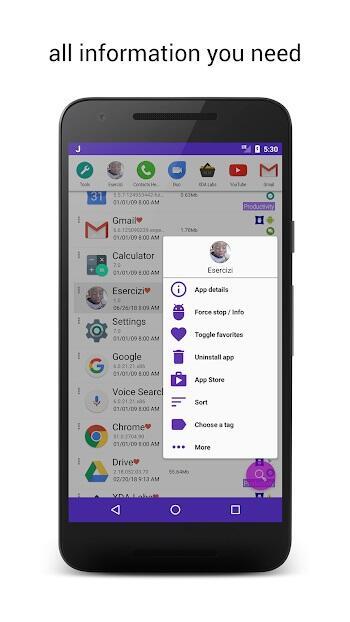
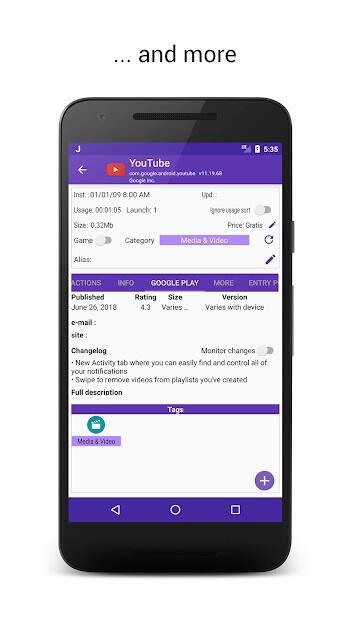
JINA does more than launch apps. It gives you detailed information about each one, including size, usage time, changelog access, store listing, and alternative launch points.
Powerful Management Tools
From within JINA, you can stop apps, uninstall multiple apps at once, export APK files, save personal notes, and even export icons. For rooted devices, additional options are available to remove pre-installed apps and free up space.
These features make JINA feel less like an app drawer and more like a complete app control center.
Designed For Both Power Users And Beginners
Despite its depth, JINA does not overwhelm new users. You can start with basic features and gradually explore advanced options as needed. Every tool is optional, and nothing forces you to change how you use your device overnight.
This balance is why many users compare advanced builds like jina app drawer pro apk or jina mod apk configurations when looking for enhanced functionality, even though the core experience itself is already extremely capable.
Customization That Goes Beyond Function
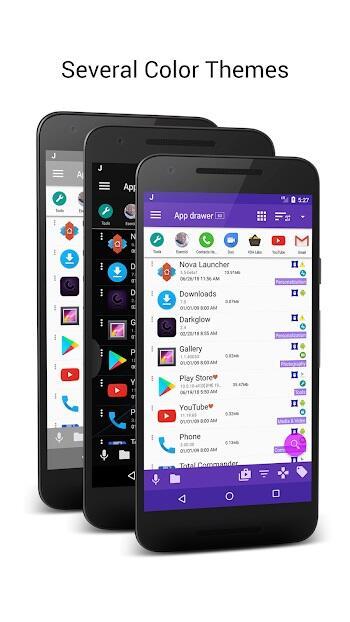
Appearance matters too. JINA supports color themes and icon packs, allowing you to match the app drawer to your overall device style. The interface remains clean and functional, but never boring.
Why JINA Becomes Hard To Live Without
Once you experience instant app access, intelligent sorting, and system-wide launching, it is difficult to return to a traditional app drawer. JINA quietly improves your daily routine, saving seconds that add up to real time over weeks and months.
It does not try to reinvent Android. Instead, it enhances what is already there, making your device feel smarter and more responsive.
Final Thoughts
JINA Drawer is built for users who value efficiency, organization, and control. Whether your device has 30 apps or 300, JINA helps you manage them with clarity and speed.
If you are serious about optimizing your Android experience, JINA is not just a convenience. It is a long-term upgrade.
Let's build community together and explore the coolest world of APK Games/Apps.






1. This is the safest site on the Internet to download APK. 2. Don't ask about the Play Protect warning, we've explained it well, check here. 3. Do not spam, be polite and careful with your words.